
http://www.16software.com/breevy/
Text expander for Windows - Breevy
I have been using [Breevy] for a couple of months now, and I love it. Used correctly, it will become one of the most essential pieces of software in your office. ... Breevy is fantastic. ... I guarantee, use it for a few weeks; you won't be able to pay f
www.16software.com
윈도우 유료 상용구 프로그램.
Humble bundle에서 풀린적 있다.
https://support.humblebundle.com/hc/en-us/articles/230385348
License Name: Humble Bundle Customer 2016
Key: reddit 참고
장점: 한/영 관계 없이 잘된다.
단점: 단축키 없음.
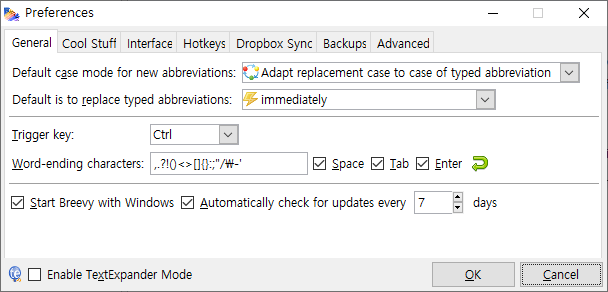
설정

구문 Syntax
- %(clipboard): 클립보드 내용
- %(cursor): 커서 위치 지정
- %(input): 별도의 입력 가능. tab키로 마저 출력
- %(key 키), %(KeyDown 키), %(KeyUp 키): '키'에 해당하는 키 값(e.g. Shift+Alt+F4)를 제어 가능.
- %(Delay): 지연
- %Y-%m-%d, %y%m%d: 날짜 2020-01-01, 200101
- %(Hour):%(Minute):%(Second) %(AMorPM): 시간 10:10:20 PM
- Rich Text 텍스트 서식
- %(B) 문장 %(B): 굵게. (마크다운: **문장**)
- %(I) 문장 %(I): 기울임꼴. (마크다운:*문장*)
- %(U) 문장 %(U): 밑줄. (마크다운:__문장__)
- %(Launch "경로"): '경로'에 해당하는 프로그램 실행 혹은 탐색기 열기